
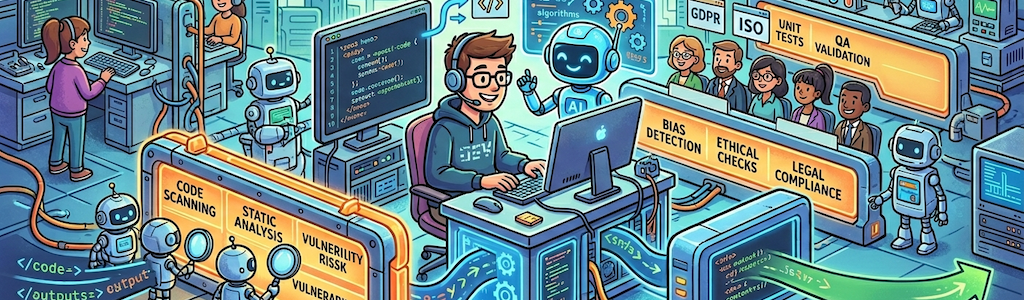
3 layers of guardrails every AI-assisted dev workflow needs
Scott Keck-Warren • May 1, 2026
When I first started down the AI-assisted development path, I was watching an AI coding agent work through a refactoring I had asked it to run. It was doing great, moving through files confidently, making sensible changes. Then I glanced away for a few minutes to grab coffee, and when I came back, it had decided to "clean things up" by modifying a dozen configuration files I hadn't mentioned, rewriting a migration I had already run in production, and helpfully deleting a handful of files it determined were "likely unused." The agent wasn't wrong about everything, but it also wasn't working under the constraints I had assumed it understood.
That experience stuck with me. The excitement around AI coding assistants is real and, I think, mostly justified. These tools are useful, and I've been using them a lot over the past year. But they're also capable of making sweeping, confident changes that feel helpful right up until the moment they aren't (how many stories do we need about AI dropping the production database). The problem isn't the AI because these problems could happen with a less experienced human developer. The problem is that I had no guardrails in place.
There are three layers worth putting around your AI-assisted workflow.
Wrapper scripts and permission boundaries
This is the one most developers skip, and I'd argue it matters most.
When you give an AI agent access to your system, you're onboarding a new team member who works extremely fast and doesn't always know what they don't know. Think about how you'd onboard a junior developer. You wouldn't hand them production database credentials on day one. You probably wouldn't give them SSH access to the production server. You'd give them access to what they need to do the work assigned to them, and nothing more.
AI agents work the same way. You can create wrapper scripts that whitelist specific operations and block everything else. You want the agent to read files, run tests, and install Composer dependencies on its own without asking you for permission every five seconds. What you don't want is the agent running database migrations against production, deploying unvetted code, deleting files outside the project directory, or accessing credentials stored outside the designated secrets location.
Setting this up requires you to think carefully about what your agent actually needs, not what it might possibly ever need. Tools like Claude Code and other agent frameworks have configuration options that support this kind of scoping. You can write a CLAUDE.md file, or equivalent, that explicitly describes what the agent is allowed to do, what directories are off-limits, and what commands it should never run. The agent will respect those boundaries when they're clearly defined.
For example, I created a ".claude/support-scripts" directory that contains small, focused scripts I will allow Claude to run without asking me. Like the script below that allows Claude to run PHPStan on specific files. Notice how it requires specific files to be included .
#!/bin/bash

# Run PHPStan on specific files with sufficient memory.
# Usage: .claude/support-scripts/php-stan/run.sh <file1> [file2] ...

set -e

if [ $# -eq 0 ]; then
    echo "Usage: $0 <file1> [file2] ..."
    exit 1
fi

php -d memory_limit=512M vendor/bin/phpstan analyse "$@"
The smaller the permission footprint, the better. A confident AI making a mistake with limited permissions is a recoverable situation. A confident AI making a mistake with full access might destroy your side project or get you fired.
Git hooks
A pre-commit or pre-push hook runs before the bad thing happens. You're not reviewing a diff after the fact and realizing something slipped through. The hook catches it at the door.
At the pre-commit stage, you can run your linter, verify code style with phpcs, or enforce a rule as simple as "no var_dump() calls left in the codebase." You can check that docblock formatting meets your standards, verify that new files include the required copyright headers, or confirm that certain sensitive files haven't been modified. Any logic you can write in a shell script or a PHP script, you can drop into .git/hooks/pre-commit and it will run automatically every time.
Pre-push hooks are useful for slightly heavier checks. Running your full PHPUnit suite before every commit might be too slow, but running it before a push makes sense. You can also add branch protection logic here: maybe you want to prevent anyone, including an AI agent with commit access, from pushing directly to main without going through a pull request.
I use CaptainHook or GrumPHP to manage these hooks as actual project dependencies, because raw .git/hooks/ scripts don't get version-controlled and tend to disappear when someone clones the repo fresh. Making the hooks part of your project means everyone on the team, human or AI, is working under the same constraints.
CI/CD as the final safety net
Even with good hooks and tight permission boundaries, code still needs to pass through a real pipeline before it reaches production. This is your last catch-all, and it should be thorough.
PHPStan at a high strictness level will catch type errors, impossible code paths, and logic problems that neither you nor an AI agent noticed during the writing phase. phpcs run in check mode, not write mode (you don't want CI silently mutating code), will flag any style drift that slipped through the pre-commit hook. Security scanners can flag potential vulnerabilities introduced by generated code.
Your full PHPUnit suite runs here too, including integration tests and browser tests. Those end-to-end tests are especially useful in an AI-assisted workflow because agents are good at making units of code look correct while occasionally breaking how those units interact.
Treat CI failures as hard blocks, not suggestions. If PHPStan fails, the PR doesn't merge. If tests fail, the PR doesn't merge. The pipeline is there to enforce a standard that no individual reviewer, human or AI, can catch reliably every single time.
Finally, review the code with your own eyes and try out the code changes to make sure your AI companion didn't do something really bone-headed.
The goal isn't to slow things down
None of this is about treating AI tools with suspicion. It's about adopting them the same way you'd adopt any powerful tool in a production environment. You wouldn't run a new third-party library in production without reviewing it. You wouldn't give a new team member production access before they'd earned your trust. The same thinking applies here.
The guardrails I've described don't add much friction. A few seconds to a commit. A few minutes for a CI run. A few hours of upfront setup for your agent configuration. In return, you get the ability to move fast without wondering what changed while you were grabbing coffee.
That trade-off is worth it every time.